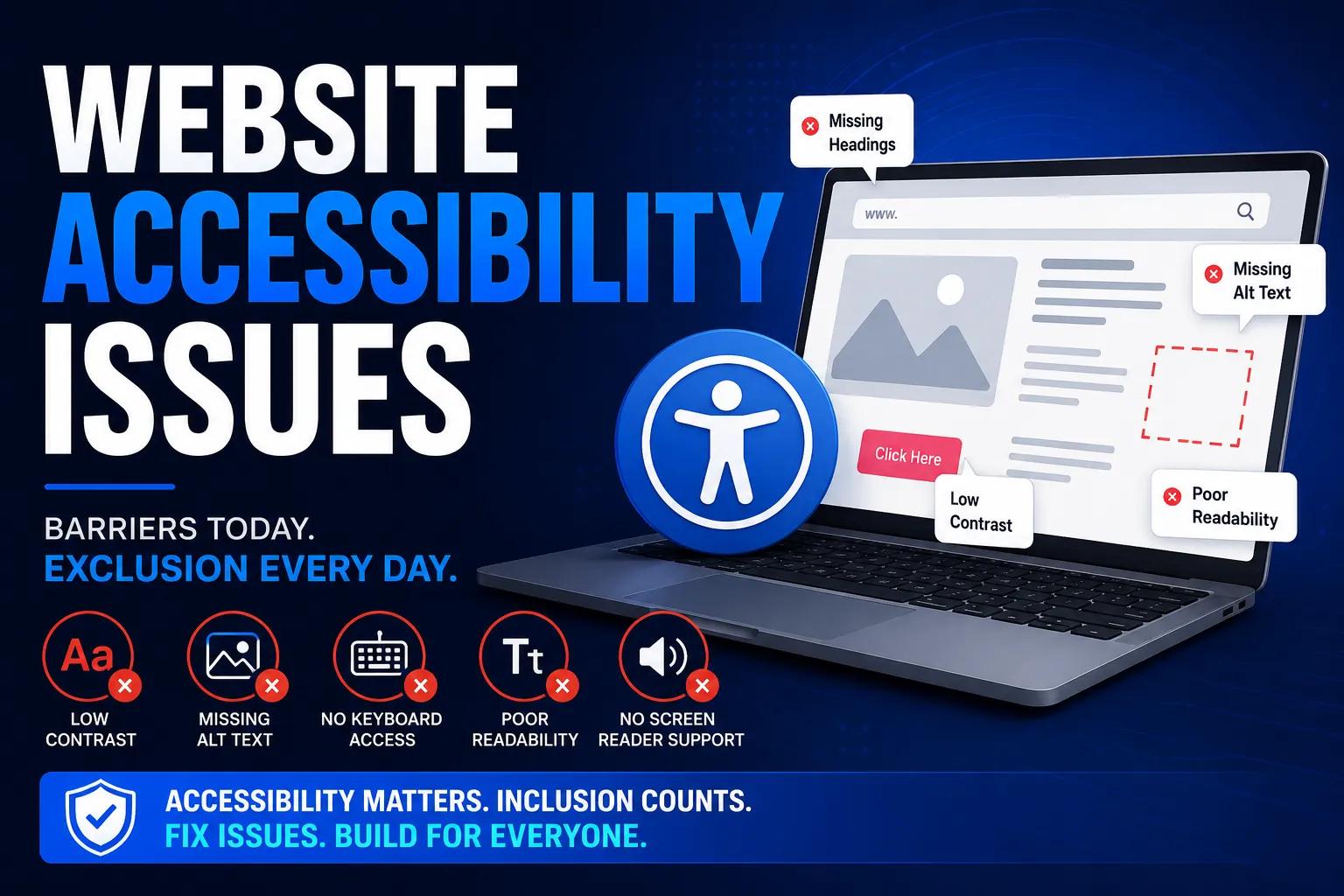
In today's digital first world, Website Accessibility Issues are becoming a growing concern for businesses that want to reach every visitor, regardless of ability. Millions of users rely on assistive technologies like screen readers, voice navigation, and keyboard only browsing to interact with websites. When a site is not built with accessibility in mind, these users face barriers that prevent them from completing simple tasks such as filling a form, reading content, or making a purchase. Understanding and fixing these issues is not just good practice, it is essential for compliance, usability, and brand reputation. As digital platforms become the primary way people shop, learn, and connect, ignoring accessibility can quietly push away a large portion of potential customers.
Why Web Accessibility Matters
Web Accessibility ensures that websites, tools, and technologies are designed so that people with disabilities can use them effectively. This includes visual, auditory, cognitive, and motor impairments. Beyond ethical responsibility, accessibility also plays a major role in SEO, since many accessibility best practices, such as proper heading structure, alt text, and clear navigation, directly improve search engine visibility. A website that is accessible tends to load faster, rank better, and offer a smoother experience to all users, not just those with disabilities. For businesses, this translates into longer visit durations, lower bounce rates, and higher customer satisfaction across every touchpoint.
Understanding WCAG Compliance
The Web Content Accessibility Guidelines, commonly known as WCAG, provide a globally recognized framework to make digital content usable for everyone. These guidelines are structured around four core principles: content must be perceivable, operable, understandable, and robust. Businesses that align their websites with WCAG standards not only avoid legal risks but also build trust with a wider audience. Compliance is measured across three levels, A, AA, and AAA, with AA being the most commonly adopted benchmark across industries. Meeting these standards is often a legal requirement in several countries, making WCAG compliance a business necessity rather than an optional upgrade.
Top 10 Accessibility Issues Businesses Often Overlook
Many websites unknowingly carry accessibility gaps that affect user experience. Some of the most common Top 10 Accessibility Issues include missing alternative text for images, poor color contrast, lack of keyboard navigation support, missing form labels, inconsistent heading structures, absence of captions for videos, unclear link text, inaccessible dropdown menus, missing focus indicators, and non responsive design for assistive devices. These problems may seem small individually, but together they create significant obstacles for users with disabilities, ultimately affecting engagement and conversions. Even minor oversights, such as a poorly labeled button or an image without descriptive text, can prevent an entire group of users from completing a purchase or accessing important information.
How to Identify Accessibility Issues Early
The ability to identify accessibility issues before they impact users is crucial for any digital strategy. Regular audits, manual testing with screen readers, and reviewing site structure against WCAG checkpoints are effective ways to catch problems early. It is also important to test across different devices and browsers, since accessibility barriers can appear differently depending on the platform. Early detection saves time, reduces development costs, and ensures a smoother user journey for everyone visiting the website. Businesses that build accessibility testing into their regular development cycle avoid costly redesigns later and maintain consistent compliance as their website grows.
Practical Steps to Improve Website Accessibility
Improving accessibility starts with small, consistent changes. Adding descriptive alt text, using sufficient color contrast, ensuring all interactive elements are keyboard accessible, and writing clear, meaningful link text can make a noticeable difference. Website owners should also focus on proper heading hierarchy and readable font sizes to support users with cognitive or visual challenges. Accessibility is not a one time fix, it requires ongoing monitoring and updates as content and design evolve. Training internal teams, from designers to developers, to think about accessibility from the start also helps embed these practices into everyday workflows rather than treating them as an afterthought.
Take the Next Step Toward an Accessible Website
Fixing accessibility issues manually can be time consuming, especially for large or complex websites. This is where the right tools make a real difference. Instead of guessing where problems exist, businesses can now scan their websites instantly and get a clear, actionable report on accessibility gaps.
If you are serious about making your website inclusive and WCAG compliant, now is the time to act. Don't let accessibility issues hold your business back from reaching a wider audience, improving user trust, and strengthening your search rankings. Start your accessibility journey today and give every visitor the experience they deserve. A more accessible website is not just about compliance, it is about opening doors to every possible customer.
Tranistics Data Technologies Private Limited helps businesses simplify this entire process with its accessibility checker tool, designed to scan websites, detect issues instantly, and guide teams toward full WCAG compliance. Whether you are just starting your accessibility journey or refining an existing website, Tranistics Data Technologies Private Limited offers the expertise and technology needed to build a truly inclusive digital presence.